FR : Vous devez impérativement ouvrir ce lien dans Safari . Touchez ensuite Partager , puis "Sur l'écran d'accueil" .
×
INSTALL ON COMPUTER
This player is designed as a Progressive Web App (PWA).
Chrome / Edge: Look for the Install icon ↓ inside the address bar (right side).
Safari / Firefox: Please bookmark this page (Ctrl+D or Cmd+D).
Set Time
PLAY-
FADE-
READY
System ready. iOS Audio Unlock.
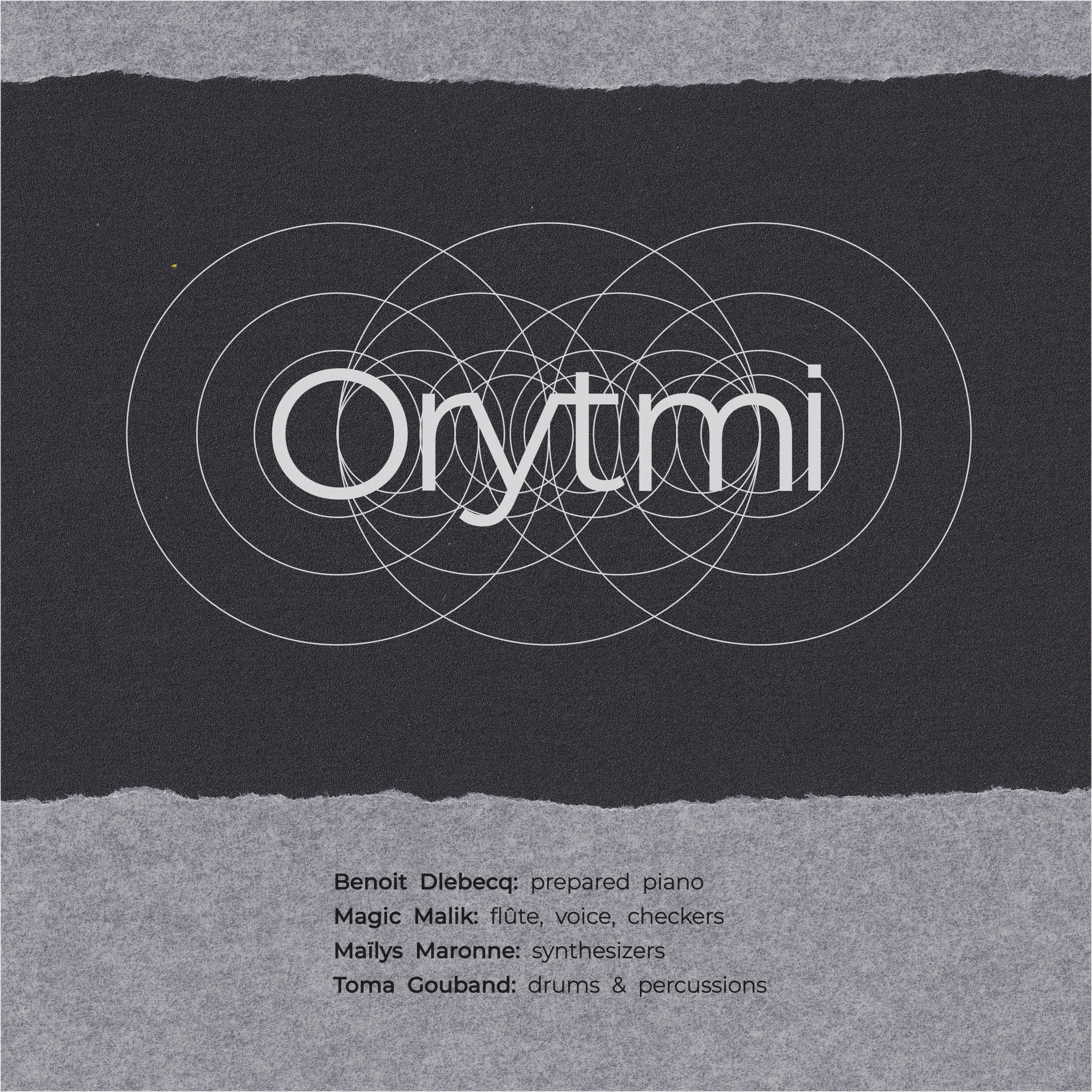
ORYTMI
Benoit Delbecq piano
Maylïs Maronne keyboard
Magic Malik flûte & voice
Toma Gouband drums
Julien Taillefer sound
Igor Juget / Adam Magyar cover design
recorded in 2023 at Athenor, La Ferriere and Atelier du Plateau
Labyrinthic Player created by Toma Gouband 2026
for Astropi Music
USER GUIDE
1. THE CONCEPT
This player is not a standard playlist. It is a generative audio engine designed to create a unique listening experience every time. It takes the album tracks and endlessly recombines them in real-time using two virtual decks (A & B). No two sessions are ever the same.
2. CONTROLS
PLAY / PAUSE: Starts or stops the generative audio engine. Ensure your phone is not in silent mode.
START 0:00: Forces all tracks to play from the very beginning.
START RANDOM: Allows tracks to start at a random position. Default behavior.
ZEN MODE: Hides the interface to focus solely on the visual and sound.
3. LISTENING MODES
Change the algorithm that controls the mix intensity and duration:
IMMERSION: Long plays (2-5 min) with very slow fades. Ideal for deep listening.
FULL: Plays the complete tracks from start to finish.
FLOW: Balanced rhythm with standard radio-style transitions.
FUSION: The default mode. Dynamic mixing with frequent overlaps.
FRAGMENTS: Fast cuts (5-15 sec). A rhythmic collage of sounds.
CHAOS: Very fast, glitchy, and unpredictable transitions.
SEQUENCE 5x7: Follows a specific mathematical time pattern (50s, 20s, 30s...).
CREATIVE: The "ghost in the machine." It automatically switches between all other modes at random intervals.
CUSTOM USER: Define your own rules (Play time & Fade time) in the control panel.
4. VISUAL MOTION
Control how the cover art reacts to the sound:
STOP: Static image.
DRIFT: Slow, subtle floating movement.
ALIVE: Active breathing movement.
DEEP: Intense zoom and travel through the image texture.
5. TRACK SELECTION
Force the player to mix a specific track, or leave it on AUTO.
6. INSTALLATION (MOBILE APP)
For the best experience, install this player directly as an App on your smartphone:
iOS (iPhone/iPad): You MUST open this page in the Safari browser (it will not work in Chrome/Firefox on iOS). Tap the "Share" button at the bottom of the screen, scroll down, and select "Add to Home Screen".
Android: Tap the "APP" button at the bottom of the player, or open the Chrome menu (3 dots) and select "Add to Home Screen".
GUIDE D'UTILISATION
1. LE CONCEPT
Ce lecteur n'est pas une playlist standard. C'est un moteur audio génératif conçu pour créer une expérience d'écoute unique à chaque fois. Il prend les pistes de l'album et les recombine à l'infini en temps réel via deux platines virtuelles (A & B). Aucune session ne ressemble à une autre.
2. CONTRÔLES
PLAY / PAUSE : Démarre ou arrête le moteur audio génératif. Désactivez le mode silencieux.
START 0:00 : Force la lecture de chaque piste depuis le tout début.
START RANDOM : Démarre les pistes à un endroit aléatoire. Comportement par défaut.
MODE ZEN : Masque l'interface pour se concentrer uniquement sur le visuel et le son.
3. MODES D'ÉCOUTE
Changez l'algorithme qui contrôle l'intensité et la durée du mix :
IMMERSION : Lectures longues (2-5 min) avec des fondus très lents. Idéal pour une écoute profonde.
FULL : Joue les morceaux entiers du début à la fin.
FLOW : Rythme équilibré avec des transitions classiques type radio.
FUSION : Le mode par défaut. Mix dynamique avec chevauchements fréquents.
FRAGMENTS : Coupures rapides (5-15 sec). Un collage rythmique de sons.
CHAOS : Transitions très rapides, glitchées et imprévisibles.
CREATIVE : Le "fantôme dans la machine". Bascule aléatoirement entre tous les autres modes automatiquement.
CUSTOM USER : Définissez vos propres règles (Durée de lecture & de fondu) dans le panneau de contrôle.
4. MOUVEMENT VISUEL
Contrôlez la réaction de la pochette au son :
STOP : Image statique.
DRIFT : Flottement lent et subtil.
ALIVE : Mouvement actif, comme une respiration.
DEEP : Zoom intense et voyage dans la texture de l'image.
5. SÉLECTION DE PISTE
Forcez le mixage d'un morceau spécifique, ou laissez sur AUTO.
6. INSTALLATION (APP MOBILE)
Pour une expérience optimale, installez ce lecteur directement comme une App sur votre smartphone :
iOS (iPhone/iPad) : Vous DEVEZ impérativement ouvrir cette page dans le navigateur Safari (cela ne fonctionnera pas depuis Chrome ou une autre application). Touchez le bouton "Partager" en bas de l'écran, descendez, et sélectionnez "Sur l'écran d'accueil".
Android : Touchez le bouton "APP" situé tout en bas du lecteur, ou ouvrez le menu Chrome (les 3 petits points) et choisissez "Ajouter à l'écran d'accueil".